
How ST Courier Tracking Works — and What Every Shipment Status Really Means
ST Courier has quietly become one of southern India’s most dependable logistics operators. Born out of ST Cargo Services and headquartered in Tamil Nadu, the company has expanded from a regional player into a network that today spans over 2,000 branch offices, more than 200 transshipment hubs, and delivery coverage reaching 15,000+ pin codes across 15 states. With a daily throughput exceeding 1.5 lakh shipments and a workforce of roughly 13,000 people, ST Courier now handles everything from same-day intra-city deliveries in Coimbatore and Chennai to interstate consignments traveling across South India and beyond.
For anyone waiting on a parcel — whether a business shipment, an e-commerce order, or a personal document — knowing where that consignment is at any given moment matters. This guide walks through the ST Courier tracking system in full, including how to use your consignment number, what each tracking status means operationally, and how to resolve the most common tracking problems users encounter.
Track Your Courier Instantly!
Enter your AWB or consignment number below and get instant updates:
Finding Your ST Courier Tracking Number
Before you can track anything, you need a valid consignment number. ST Courier assigns a unique tracking ID to every parcel at the point of booking. Here is what to know about its format and where to locate it.
Format: ST Courier tracking numbers are alphanumeric — typically beginning with letters followed by a sequence of digits. A standard example looks like ST12345678, though the exact length and prefix can vary slightly depending on whether the shipment is domestic express, surface cargo, or processed through a franchise branch.
Where to find it:
- On the physical booking receipt handed over at the ST Courier branch
- In the SMS confirmation sent to the sender’s registered mobile number after booking
- In the booking confirmation email (if booking was made online or through a business account)
- On the air waybill or shipment label attached to the parcel
- Through the seller or business that dispatched your parcel — many e-commerce platforms display it directly in your order details
Common mistakes to avoid:
- Entering spaces or dashes that don’t belong in the number
- Confusing the consignment number with the invoice number on the same receipt
- Using a reference number instead of the actual tracking ID
- Copying only a partial number if the SMS got truncated
If your tracking number begins scanning but returns no results, wait 4–6 hours after booking. First-scan registration can sometimes take a few hours, particularly for franchise bookings where the parcel hasn’t yet reached a primary sorting hub.
How to Track Your ST Courier Shipment Step by Step
The tracking process itself is straightforward, but using it correctly ensures you get accurate, real-time data rather than cached or stale results.
Step 1: Navigate to the ST Courier tracker on the page above.
Step 2: Enter your complete consignment number in the tracking field. Double-check the number before submitting — even one incorrect character will return a “not found” result.
Step 3: Click the Track button. The system queries the ST Courier network directly and retrieves the most recent scan events associated with your consignment.
Step 4: Review the results. A properly active shipment will display a timeline of scan events — from pickup through transit hubs to the delivery point — along with the current location and status.
Tracking by mobile number
Some users search for “ST courier tracking with mobile number.” While the tracking system itself requires a consignment number, the mobile number used at booking can help customer care look up your consignment if you’ve lost your receipt. This isn’t a self-service tracking method available through the standard online tool, so it requires contacting support directly.
QR code tracking
ST Courier labels on some shipments include a QR code. Scanning this code with any standard QR scanner app typically redirects to the tracking page pre-filled with your consignment number, saving manual entry.
Delivery Timelines: What to Realistically Expect
ST Courier’s delivery speed varies by route, service type, and distance from its core operational hubs. Here are the general benchmarks:
| Route Type | Typical Delivery Time |
|---|---|
| Intra-city (same city, e.g., within Coimbatore) | Same day or next day |
| Chennai to destinations within 50–250 km | Same day delivery possible |
| Destinations 100–300 km from dispatch point | Next business day |
| Inter-city within South India (e.g., Chennai–Bangalore) | 2–3 business days |
| Pan-India (North, East, or West India) | 3–5 business days |
| Remote or newly added pin codes | Up to 7 business days |
From December 2025, ST Courier extended its operations to include Sundays, which meaningfully reduces weekend delays for shipments that previously sat idle until Monday.
Delays beyond these windows are most commonly caused by:
- Natural events (floods, cyclones — particularly relevant in Tamil Nadu’s coastal districts)
- Political disruptions or bandh calls
- Incorrect or incomplete delivery address
- Failed delivery attempt requiring rescheduling
- Customs documentation issues on international consignments
- High volume surges during festive seasons
What Each Tracking Status Actually Means
The status messages in ST Courier’s tracking system each correspond to a specific physical or operational event. Knowing what they mean removes the guesswork.
Shipment Booked / Pickup Scheduled
Your consignment has been registered in the system but the physical parcel hasn’t been collected from the sender yet, or it’s awaiting its first scan at the booking branch. This is normal in the first few hours after booking.
Picked Up / Consignment Received
The parcel has been physically collected or accepted at an ST Courier branch and has received its first official scan. Transit has begun.
In Transit
The parcel is moving through ST Courier’s logistics network. It may be on a vehicle between branches, loaded onto surface cargo transport, or moving between transshipment hubs. Multiple “In Transit” updates are normal for long-distance shipments — each one represents a new leg of the journey.
Arrived at Hub / Reached [City Name]
The consignment has arrived at a transshipment hub or regional sorting facility. From here it will be sorted, assigned to the appropriate delivery branch, and dispatched outward.
Out for Delivery
The parcel has been loaded onto a delivery vehicle and is actively en route to the recipient’s address. This status typically means delivery within the same business day, barring address issues or recipient unavailability.
Delivery Attempted / Delivery Failed
The delivery person visited the address but could not complete the handover. Common reasons include the recipient being unavailable, the gate being locked, incorrect floor or flat details, or an address that was difficult to locate. A second attempt will typically be made the following business day. If you see this status, proactively contact the local ST Courier branch to coordinate redelivery or arrange collection.
Held at Branch / Available for Pickup
After one or more failed delivery attempts, the parcel is held at the nearest ST Courier branch pending collection by the recipient. There is a finite holding window — typically 5–7 days — after which uncollected consignments may be returned to the sender.
Customs Clearance (International Shipments)
For parcels entering or exiting India, this status indicates the shipment is with customs authorities for inspection and duty assessment. Duration depends on documentation completeness, the nature of contents, and current customs workload. Incomplete or missing invoices are the most frequent cause of extended holds.
Exception
This is a broad status indicating something outside normal processing has occurred. Examples include damaged packaging flagged at a hub, an undeliverable address, a refused consignment, or a temporary network disruption. Exception statuses require contacting ST Courier customer care to understand the specific cause.
Delivered
The parcel has been handed to the recipient (or an authorized person at the delivery address) and signed for. Proof of delivery is recorded in the system.
Returned to Sender / RTO Initiated
The consignment could not be delivered after all attempts and has been routed back to the original sender. This typically follows multiple failed attempts or an unresolvable address issue.
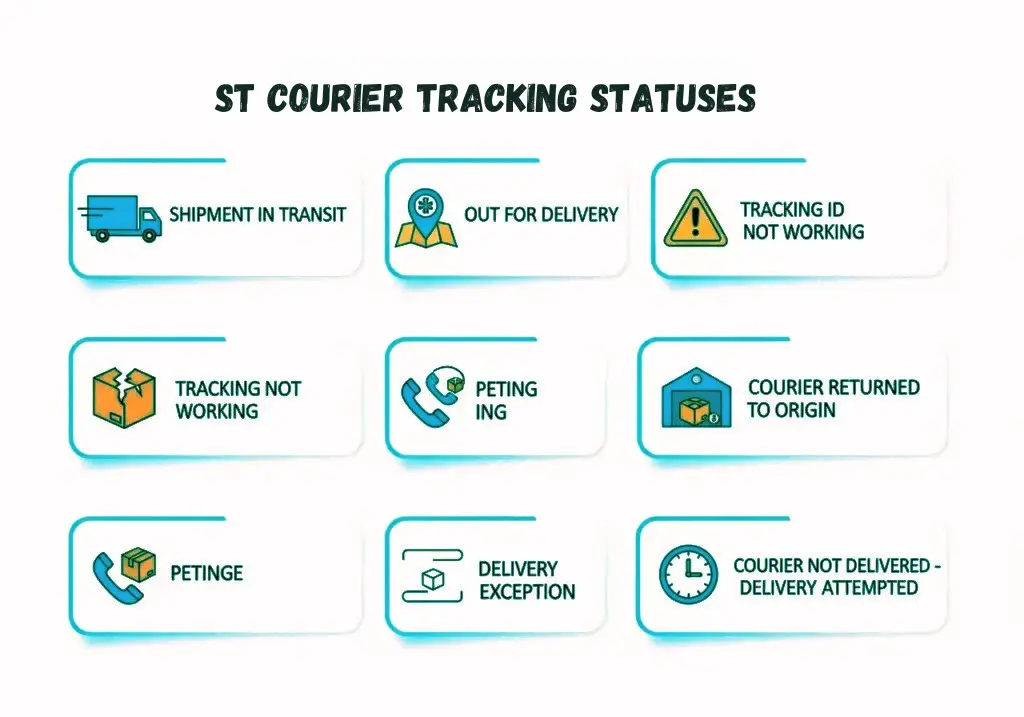
ST Courier’s Network and Services in Brief
Understanding the network behind your shipment helps contextualize what the tracking updates mean.
ST Courier operates distinct service tiers:
- Domestic Express: Priority document and parcel delivery with faster transit commitments across ST Courier’s core pin code network.
- Surface Cargo: Cost-effective freight movement for larger consignments, routed through road transport and transshipment hubs.
- Air Cargo: Time-sensitive shipments dispatched via air freight for faster pan-India coverage.
- International Courier: Cross-border delivery to 220+ countries, facilitated through partnerships with global carriers and integrated with real-time GPRS-based tracking.
- Ecommerce Logistics: Dedicated fulfillment and reverse logistics support for online sellers, including COD (cash on delivery) handling and return management.
The company’s operational center of gravity remains Tamil Nadu — and specifically the Coimbatore–Chennai corridor — but the network has grown steadily into Karnataka, Andhra Pradesh, Kerala, Telangana, and beyond.
Troubleshooting Common ST Courier Tracking Problems
Tracking number shows “not found” or returns an error
This usually means one of three things: the number was entered incorrectly, the shipment is too recent and hasn’t received its first hub scan yet, or the booking was made through a franchise that has a short processing delay. Wait 6–8 hours from the time of booking and retry. If the problem persists after 24 hours, contact the booking branch with your receipt.
Tracking status hasn’t updated in over 48 hours
Long static periods are sometimes caused by a missed scan at an intermediate hub (parcel present but not scanned), a surface route with infrequent scan points, or a temporary system sync delay. Check whether the last update shows a hub or an “In Transit” status — if it shows a transit event from a hub that is a known intermediate point on your route, the parcel is likely moving and simply hasn’t been scanned at the next stop yet.
Package shows “Delivered” but wasn’t received
First, check whether a family member, security guard, or building management received it on your behalf. If confirmed undelivered, contact ST Courier customer care immediately with your consignment number and request the proof of delivery record — this will show the delivery agent’s name, time, and recipient signature or details. Raise a formal dispute if the delivery cannot be verified.
Consignment stuck at customs (international)
Gather all original commercial invoices, packing lists, and any product certificates that may be required. Contact ST Courier’s international support channel and ask specifically what documentation is outstanding. Providing accurate value declarations and HS codes at the time of booking prevents most customs holds.
Failed delivery attempts keep repeating
This often happens when the address has an issue the delivery agent cannot resolve independently — an incorrect flat number, a gated community without access, or an ambiguous landmark. Call the local delivery branch directly (not general customer care) and provide a specific landmark, door number, and a contact mobile number for the delivery agent to reach before arriving.
Tracking shows no movement after “Reached [Hub City]”
If the tracking shows arrival at a hub but no subsequent dispatch update for more than 24 hours, it may indicate a sorting backlog or a route change. Contact customer care and reference the last hub shown — they can check whether the parcel is staged for dispatch or needs manual intervention.
ST Courier Customer Care and Office Addresses
| Location | Details |
|---|---|
| Head Office (Chennai) | S.T. Courier (P) Ltd., Door No.16, Old No.9, II Main Road, CIT Nagar West, Chennai – 600035 |
| Alternative Chennai Office | No. 199, Hariyan Street, C. Pallavaram, Chennai – 600043 |
| Chennai Branch | No. 15, Purasai Tower, Ground Floor, 19/10-Ponnappa Street, Purasaiwalkam, Chennai – 600084 |
| Coimbatore Office | No. 143-A, Nava India Main Road, Coimbatore, Tamil Nadu – 641004 |
| Customer Care Phone | 044-61266666 |
| Support Email | helpdesk@stcourier.com |
Branch-specific phone numbers and emails are also listed on ST Courier’s official website for cities including Avinashi, Chengalpattu, Salem, and dozens of other service locations across Tamil Nadu and neighboring states.
For the fastest resolution of shipment issues, contact the destination branch directly rather than the head office — the delivery staff at the local level have direct visibility into your parcel’s physical status.
A Note on International Shipments via ST Courier
For consignments leaving or entering India, the tracking journey includes additional layers — domestic transit to an international gateway hub, customs export or import clearance, handover to an airline or partner carrier, and finally last-mile delivery through an in-country partner at the destination.
International tracking updates may have longer gaps between events compared to domestic shipments, particularly once the parcel has left India and is in the hands of a partner carrier. If your tracking shows the parcel as departed from India but no further updates are visible, it is often worth using the destination country’s national postal or carrier tracking system with the same or a re-issued tracking number — ST Courier’s customer care can confirm which partner handles last-mile delivery in your destination country.
Also visit: Tirupati Courier Tracking for your pending courier updates.
Frequently Asked Questions
How do I track my ST Courier parcel online?
Enter your consignment number in the tracking tool at the top of this page and click Track. You’ll see a full status timeline including current location and the most recent scan event.
Where is the ST Courier tracking number on the receipt?
It’s printed prominently on the booking receipt given at the branch counter, usually labeled “Consignment No.” or “Tracking ID.” It’s also sent via SMS to the sender’s mobile number.
My ST Courier tracking isn’t updating. What should I do?
If the shipment was booked recently, wait 6–8 hours for the first scan to register. For shipments already in transit, a gap of 48 hours without an update warrants contacting customer care at 044-61266666 or emailing support with your consignment number.
Can I track ST Courier using my mobile number?
The online tracking system requires a consignment number, not a mobile number. However, if you’ve lost your tracking ID, contacting ST Courier customer care with your registered mobile number and booking date can help the support team look up your consignment manually.
What does “Out for Delivery” mean on ST Courier tracking?
It means your parcel has been loaded onto a local delivery vehicle and is actively being transported to your address. Delivery should occur the same business day in most cases.
How long does ST Courier take to deliver from Chennai to Coimbatore?
This corridor typically sees same-day or next-business-day delivery for standard consignments, given the roughly 500 km distance and ST Courier’s strong service density along this route.
What happens if my ST Courier package is not delivered on the first attempt?
The delivery agent will make a second attempt the following business day. After two or three unsuccessful attempts, the consignment is typically held at the nearest branch for recipient pickup. You’ll usually receive an SMS notification prompting you to schedule a new delivery or collect in person.
Does ST Courier deliver on Sundays?
Yes — as of December 2025, ST Courier extended its operations to include Sundays, so weekend deliveries are now part of standard service.
Can I track multiple ST Courier shipments at once?
Some third-party tracking aggregators support batch tracking with multiple consignment numbers. ST Courier’s own interface may require individual entries; contact customer care for bulk consignment queries on business accounts.
What does “Exception” mean in ST Courier tracking?
An Exception status flags that an unusual event has disrupted normal processing — this could be a damaged package, an address problem, a refused delivery, or a temporary network issue. Contact customer care with your consignment number to find out the specific reason and the next steps.
If you want complete details of Courier companies visit the Homepage of our wesbite.